This happens all the time. When a blog post has a title that makes the post too big, just shorten it. Like this:
Click on the post to tweet it. You’ll see something like this:

The -26 in red just means this tweet is 26 characters too long. Answer? Remove some characters, like this:
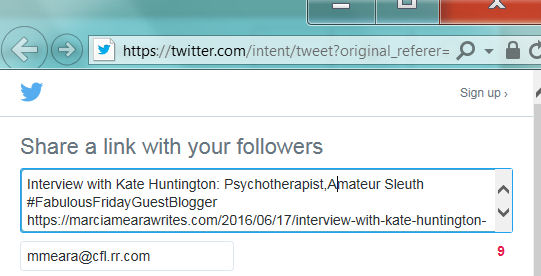
Took me less than two seconds to remove “Fictional Character, and.” Then I hit the Tweet button as usual. That’s all there is to it, honest. Easy-Peasy. (The actual link to the post is at the bottom, untouched, and will lead Twitter readers directly to the actual post, in its entirety.)

 The Write Stuff